markjgsmith

2018/06/30

How I use my linkblog - finding a git tutorial I watched last year

Situation:

I need to commit some changes to my dotfiles, when I do a git diff I see that there are two distinct changes that have been made because I must have forgotten to check the previous change in, no doubt I was distracted by something much more impotant at the time. The world is like that sometimes. Other people are just so me me me sometimes. :)

I could check these commits in one commit, it's no big deal, they are my dotfiles in any case, it won't matter really. On the other hand I know there is a git command just for this called patch, but I don't use it very often and I don't remember the flow. However I do remember that I watched a tutorial on youtube but it was a long time ago, at least a year. I did post a link to it on my linkblog because it was quite a good video. Might as well learn it now, plus I can write a how to blog post.

Solution:

So I open up my linkblog on the search page. I search for: git patch "youtube.com"
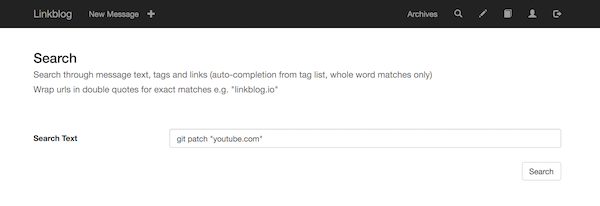
Linkblog search

Adding the url in quotes returns exact matches for the url. I hit the search button and receive a load of results. I use the browser in page search by doing ctr-f and type 'patch' in the browser search box window that opens in the top right of the browser. I hit enter and all occurrances of patch are highlighted in yellow. Hitting enter a few more times and the focus jumps down the page and BAM there is the tutorial: "Intro to git patch mode tutorial". As an added bonus I notice that there is another video I posted about git patch right above it. Cool!

Linkblog search results

I click the cmd-click the domain at the end of the line and a new browser window tab opens up loading the youtube video. Oh so THAT's how to git patch!

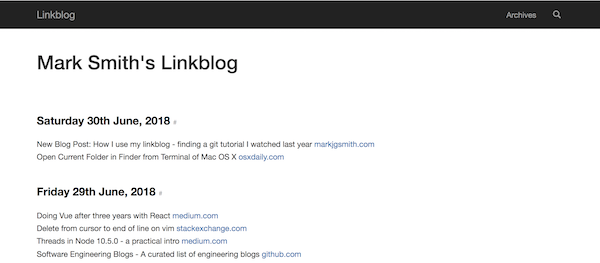
Here is a link to that day in my linkblog timeline. The video was by a chap named John Karey. Thanks for the video John.
How I use my linkblog - posting a link to my latest blog post

Situation:

Earlier I wrote a how to blog post. It would be nice to add it to my linkblog timeline in case anyone stumbles across my linkblog. Then they might get a better idea of how a linkblog might be useful. It might also be interesting to others that are building software and writing documentation to see my flow.

Solution:

I open the post in my web browser, load the blog post I just wrote and click the bookmarklet in my browser bookmarks bar. I added the popup bookmarklet to my browser bookmarks bar when I setup my linkblog account.

Linkblog popup bookmarklet

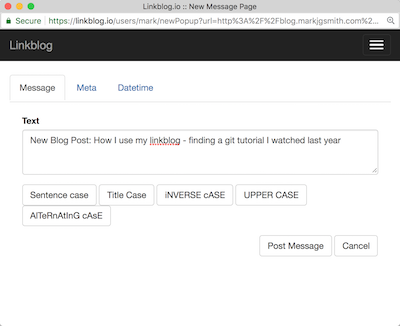
The popup window appears and I add the text "New Post:" to the start of the message text. When I am linking to a blog post I wrote, I always add this prefix so that I can easily search for them later, and it also draws a bit of attention to the link for people that might read my linkblog.

Linkblog popup bookmarklet edit message text

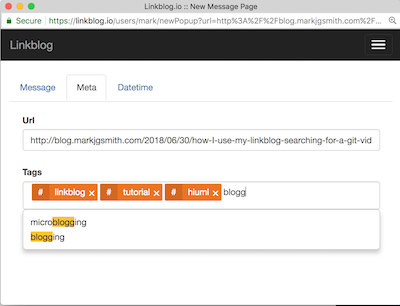
I click on the 'Meta' tab and add some tags. While typing the tags, a drop down appears under the tag box to suggest tags that I have previously used in posts. I click the tag in the drop down and it autocompletes the tag in the tag boz or just continue typing and hit enter when I am done typing the tag. Tags can have spaces in them but no underscores.

I jump back to the main tab and click the "Post Message" button. The window disappears as if it was never there. I open my linkblog and find that a new item has been posted linking to the blog post.

Linkblog popup bookmarklet add tags

2018/06/29

2018/06/28

2018/06/27

2018/06/26

Launch on Indie Hackers

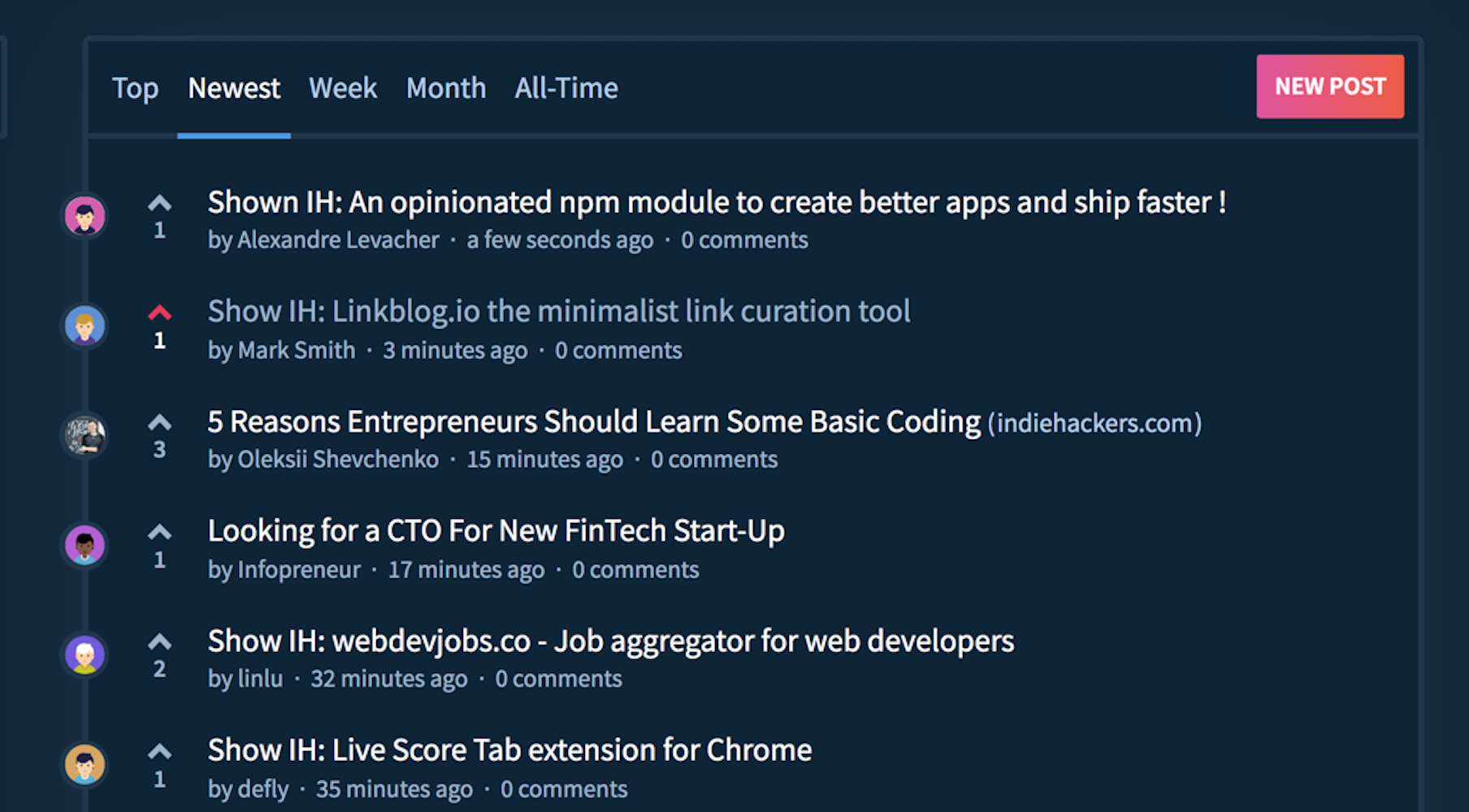
I unnoficially launched Linkblog.io yesterday on Indie Hackers. It's been a long road with a seemingly endless onslaught of showstoppers, but the site is up and running and it's built with a strong architecture, and running on a stable infrastructure with the possibility to scale if necessary.

Linkblog on Indie Hackers

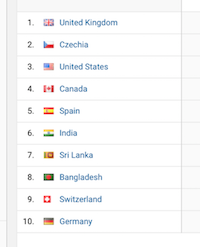
There was modest amount of hits from around the globe and I even got a comment, which was at least partially positive. After a few hours I realised that I had no way to differentiate between server-side side and client-side analytics. Oh noes!

Linkblog seen from around the world

So today I setup some new views and filters using custom dimensions to show each type of data. Things are looking much better now. :)

If you're intersted in signing up, there is a promo code on the indie hackers post, your entire first year for the price of a few cups of coffee.

Things I learnt as a solo developer building Linkblog.io

Building a web application as a solo developer ain't easy. There are an insane amount of things that need to be done and an almost unimaginable amount of decisions that need to be made...but it's possible.

I wanted to take a few minutes to reflect on some of the things that I've learnt along the way:

  • selecting the right technologies
  • setting up consistent development environment
  • using unix/linux tools effectively
  • building a deployment pipeline
  • architecting the app
  • building a scaleable infrastructure
  • testing, linting, logging, debugging
  • securing components
  • scripting and automation
  • setting up server side and client side analytics

If you are a solo developer / small team just starting out on your building journey, feel free to get in touch tell me a bit about yourself. All these things are very fresh in my mind right now, and I am available for consulting gigs! Investing a bit of time and money now might save you weeks if not months of headaches later down the line.

2018/06/25

2018/06/22

2018/06/21

2018/06/20

2018/06/19

2018/06/14

2018/06/12

2018/06/11

2018/06/10

How to get an old jekyll blog active again

It was actually pretty straight forward. Check that the git remote is still configured, install the jekyll software, follow the instructions in the error messages. I had the dev version of the site back up within a few minutes.

{% highlight bash %}
$ cd $WEBSITES_DIR/blog.markjgsmith.com
$ git status
On branch master
Your branch is up-to-date with 'origin/master'.
nothing to commit, working tree clean
$ cat .git/config | grep -A 2 remote\ "origin"
[remote "origin"]
url = https://github.com/mjgs/mjgs.github.io.git
fetch = +refs/heads/:refs/remotes/origin/
$ which jekyl
$ gem install jekyll bundler
$ bundle exec jekyll serve
Could not find RedCloth-4.2.9 in any of the sources
Run bundle install to install missing gems.
$ bundle install
$ bundle exec jekyll serve
Configuration file: [WEBSITES_DIR]/blog.markjgsmith.com/_config.yml
No post given to analyze. Try with -h
Source: [WEBSITES_DIR]/blog.markjgsmith.com
Destination: [WEBSITES_DIR]/blog.markjgsmith.com/_site
Generating...
done.
Auto-regeneration: enabled for '[WEBSITES_DIR]/blog.markjgsmith.com'
Configuration file: [WEBSITES_DIR]/blog.markjgsmith.com/_config.yml
Server address: http://0.0.0.0:4000/
Server running... press ctrl-c to stop.
{% endhighlight %}

I'm still a little fuzy on how to add posts. I tried to login to prose.io but the site wanted full access to all my repos on Github...a little excessive. Oh well editing in vim is good enough.

Last but not least push the changes to github...

{% highlight bash %}
git add *
git commit -m "New post: How to get an old jekyll blog active again"
git push
{% endhighlight %}

2018/06/09

2018/06/08

2018/06/06

2018/06/02

2018/06/01