markjgsmith

2020/11/30

What it’s like working for an enterprise software startup

I wrote recently about my time working in the VFX industry during the height of the analogue to digital transition. I wanted to write another similar piece remembering my time working for an enterprise software startup in the file delivery space, so that I have something to refer to in future, but also because it might be useful to others to get a picture of what it’s like working in an enterprise software company startup.

First I worked as a Technical Consultant, and then as a Solutions Architect as part of the Global Operations team. I then joined the engineering team as a Software Developer, contributing to the development of a hybrid cloud file delivery SaaS. Having worked with many software vendors as a client in my time working for visual effects companies, it was eye opening being on the other side of the fence, with the folks building, marketing and selling vendor software.

When I joined they had a head office in Boston (US) and the engineering team in Ottawa, (Canada). Europe, Middle East & Africa (EMEA) was a new region for them, so there was no office. I worked from home in London (UK), or onsite at client locations, everything was done remotely. Initially we had to build the customer base, so there was a lot of travel throughout the EMEA region. There were times where I was travelling to several different countries every other week. I got a taste for being on the road and I liked it.

The company was pivoting from making source code replication software, to more generalised file movement software and they were focusing on the Media & Entertainment sector because the analogue to digital conversion was resulting in a need to move very large files. I was brought in to help grow the EMEA region and I worked closely with the regional Sales Director and Sales Engineer, meeting with clients, doing technical pre-sales, and later post-sales integration work, architecting and implementing a variety of media workflows.

I met with people from all levels, from engineers, developers, producers, journalists, managing directors, CEOs, CTOs to name a few. This was within visual effects companies but also broadcasters, channel aggregators, playout centres, network carriers, news organisations, radio stations, advertising agencies, system integrators, other software vendors, cloud providers, and occasionally clients in other sectors like oil and gas and automotive. Having exposure to a much wider section of the media landscape was incredibly interesting. I learnt first hand how these companies moved and transformed files, how they structured their organisations so that people could collaborate effectively, and the challenges they faced in moving to digital.

Another side that was super interesting was working closely with sales and marketing.

We had weekly sales calls at the end of the week, everyone in Global Ops would dial into the conference call no matter where we were. This was mostly the sales reps sharing how we were getting on with prospects, if they were on target to hit their number for the quarter, as well as any roadblocks they were up against. Occasionally the Technical Consultants / Solution Architects would be called upon. Us techies also had our own separate weekly conference call for more involved technical discussions. Although there was some competition between regions, we all collaborated together really effectively because we all wanted the entire company to do well.

At the time it blew my mind that we were all separately moving around while dialled into the sales call on our Blackberrys (and later iPhones). People transiting between clients in cabs, waiting for planes in airports, snacking in hotel lounges, zipping around on trains, or just in their home office, all across the globe, every continent. The first few years our phone bills were pretty insane.

The language in sales and marketing focussed companies is completely different to what I had experienced before. Everything revolves around the year being divided up into quarters, with Q1 starting in beginning of January and Q4 finishing end of December. It makes it easier to talk quickly about approximate timelines.

There are a lot of 3 letter acronyms, POCs (proof of concept), SOWs (statement of work), NDAs (non-disclosure agreements), RFPs (Request for proposal), QBRs (quarterly business review), ROI (return on investment), and many more. They make communication more efficient. The other thing there was a lot of was conferences, attending IBC in Amsterdam and BVE in London every year, hosting a booth where we did demos and presentations throughout the day.

As can be expected, there was a big focus on numbers, on your team hitting it’s quarterly quotas, with extensive use of Salesforce to track and forecast the sales process. It was noticeable to me the motivating effect of having a commission component to my compensation package.

I was often really impressed with how very complex customer relationships were navigated, with creative ways to move the sales process along, and the formation of strategic partnerships with people and companies with whom we had synergies. It was enlightening to see how much effort was put into pricing, and into relaying customer feedback to the product and engineering teams, and then to later see changes in the product that had been added in response.

As the EMEA region customer base grew, there was a lot more post-sales integration work. This is where I would work closely with the customer to architect the deployment of the software they had purchased. There was a lot of variety but generally they wanted a robust, secure and highly available infrastructure, and they often wanted to integrate our file movement software with their existing internal systems.

I wrote custom components in Perl that connected our software to existing systems using APIs or hot folder + XML file integrations. I then used these and pre-existing components in the product's workflow engine to build multi step workflows to automate the processing of inbound and outbound files, sending them to 3rd party tools or to operators and digital artists for manual steps. Sometimes replacing old manual workflows, other times creating entirely new workflows that had never existed or been possible before. I would then install the software and custom workflows, test everything was working, get the customer to sign-off on the deployment and train the users on how to use the system.

These were some of the workflows I designed and/or built:

  • ProsiebenSat – Ingest via Mx/Agent/Smartjog/Ftp, automated validation then manual validation, checking into MAM, export via Mx/Agent/Smartjog/Ftp
  • Canal Plus - Ingest via FTP Pull/MX, media check, Agility transcoding, import into Sonaps and Avid editors
  • Chellomedia - Ingest via Agent, movement of file bundles, Antivirus check, splitting of bundle on arrive in Lan, delivery of each piece to the right place
  • TPC – Swiss Television - Avid export, transcoding, Sound recording, manual steps offered via Mx GUI, delivery to Playout
  • Media City UK - Avid Gateway - easy ingest and outgest of avid projects
  • Discovery UK - VOD preparation with automatic adding of bumpers, logos and subtitles, and automated quality assurance check

It was at times very chaotic. I remember completing a pre-sales demo workflow that used AWS SQS to receive files in the back of the taxi on the way to the client demo. I got it working on my laptop over 3G just as we pulled into the carpark. The live demo worked without a hitch. The total number of hours worked per week was very high, it was difficult to separate work and personal life, and the constant travel, though fun, did start to take it's toll on me after several years.

Overtime we introduced processes, training programs, new staff, we started using a concierge to organise our travel and hotel bookings, we built cloud infrastructure to host many concurrent client POCs on VMs. Things got very streamlined and we were bringing in about a 1/3 of the company revenue.

I then moved over to Ottawa and joined the engineering team as a Software Developer, working on the team that was building a new SaaS file movement product. It was a nice change of pace to have an office again, and to be on a team of developers.

We followed an agile software development methodology, working on features in 2 week sprints, with daily standups, spikes, retrospectives and sprint planning. I worked closely with QA engineers and devops to ensure the features were thoroughly tested and deployed without issues, and with the support team to identify and fix bugs. The team was very well organised, and we shipped a lot of features. The product was adopted rapidly with the user base growing to 400000 users, made up of both existing and new clients. During that period I learned a lot about web development, it was a fantastic experience.

Aside from the occasional merge conflict, things ran pretty smoothly, there weren’t that many emergencies. We had weekly meetings where all the teams across engineering shared what they were working on. It was fascinating to be a part of the development process of enterprise grade software. It was a great foundation in developing web based software as part of an agile team.

I also experienced what it’s like to live in a very cold climate, with winter temperatures often down to -20 Celsius, having to use special snow tires, and learn how to drive in snow storms and ice rain. We had a team outing to go ice skating on a nearby lake, that was a lot of fun. I went over the provincial border to Quebec, met and spoke with french Canadians. They have a very different accent to people from France. I got to go snowboarding quite a bit and can now board pretty well in either direction.
2020/11/29

2020/11/28

2020/11/27

Announcing my new Custom Training Service

I’m adding a new package to my professional services called the Custom Training Service.

Here’s the description from the services description page:

The custom training service covers the creation and delivery of custom training on web development and automation/workflow design and implementation. These can be made to according to customer needs and delivered either onsite or remotely via video conferencing tools. Other training topics might be possible.

I have previous experience developing custom training programs for

  • Onboarding artists at vfx companies
  • Rapidly documenting feature film custom workflows using video interviews
  • Training users on enterprise software products
  • Training users on workflow and automation integrations

My specialities are NodeJS web development and automation/workflows, but I could also create custom training programs on other topics.

In my previous work in this area, some of the projects involved onsite visits and consulting where I analysed the existing systems and processes prior to constructing the training program. I then worked worked with designers to create training material that was specifically tailored in look and content to the client needs.

If you have a need for some custom training, then don’t hesitate to contact me via email.

2020/11/26

Looking back at linkblog.io

I recently announced the end of linkblog.io. I go into a bit of detail in this short indie hackers discussion thread. I wanted to do a quick retrospective to have something to refer to in future.

I’ve been running a linkblog for close to 10 years. In a lot of ways all the links I’ve posted chronicle my web development journey, but also just life in general. I found it a very useful tool and still do to this day. Somewhere along the way I decided to build a linkblogging SaaS product.

These were the high level goals of the system that emerged over time:

  • Robust implemenation that does what it was designed to do and does it well
  • Have a minimalist user interface, emphasis on text content
  • Easily scalable to handle growth
  • Deployable to standard VPS hosting
  • Fault tolerant and able to have zero downtime deploys
  • Resilient so that any server could be easily rebuilt from scratch using backups where necessary

From a technical standpoint I achieved all of these goals.

I wrote about Robust NodeJS Architectures earlier in the month, and this describes very closely what the linkblog.io infrastructure looked like.

Some other application level features and capabilities that are worth mentioning:

  • MongoDB sessions support
  • Redis sessions support
  • Rate limiting using Redis
  • JWT API authentication
  • API Caching using Redis
  • Backend job scheduling using Agenda
  • Backend message queues using MongoDB
  • Custom domains
  • SCA compliant billing system (Stripe + webhooks)
  • Production and staging environments

Implemented using bash scripts:

  • Repeatable server provisioning system
  • Application build and deploy system
  • Backup and restore of certificates and databases
  • Log file backup and cleanup
  • Certificate renewal

Most of these features were added as a necessity in response to real world events that happened during development.

Though the UI is quite minimalist and mostly text based, there was quite a lot going on underneath. The system could have been quite easily and safely extended.

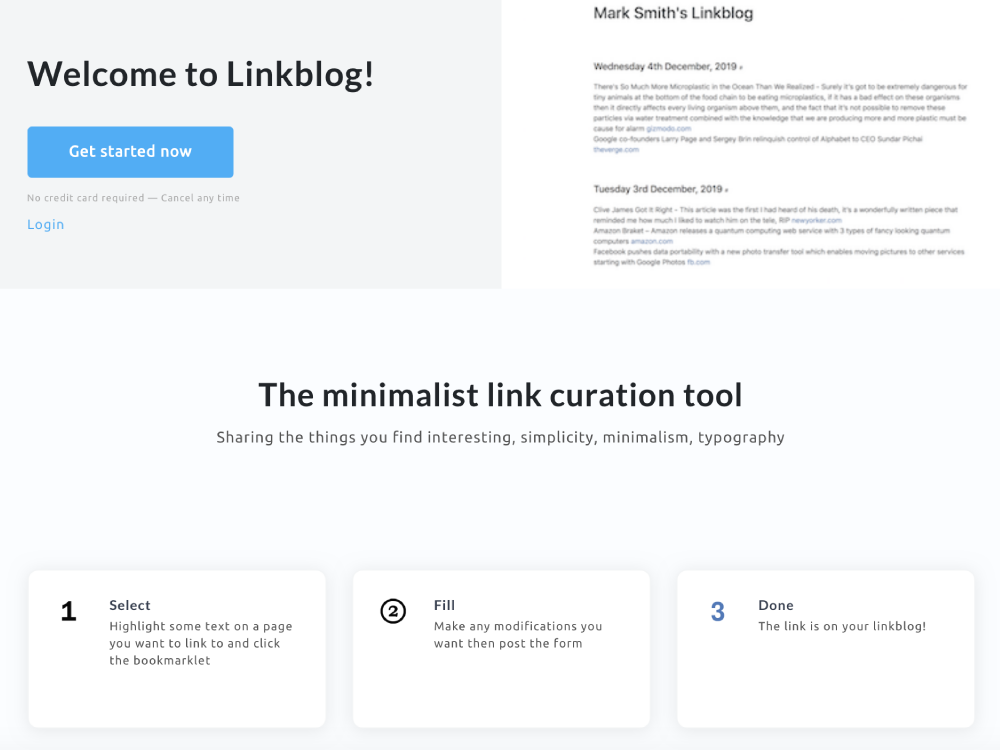
Finally here are some screenshots of the UI:

Landing Page - Header

Landing Page - Header

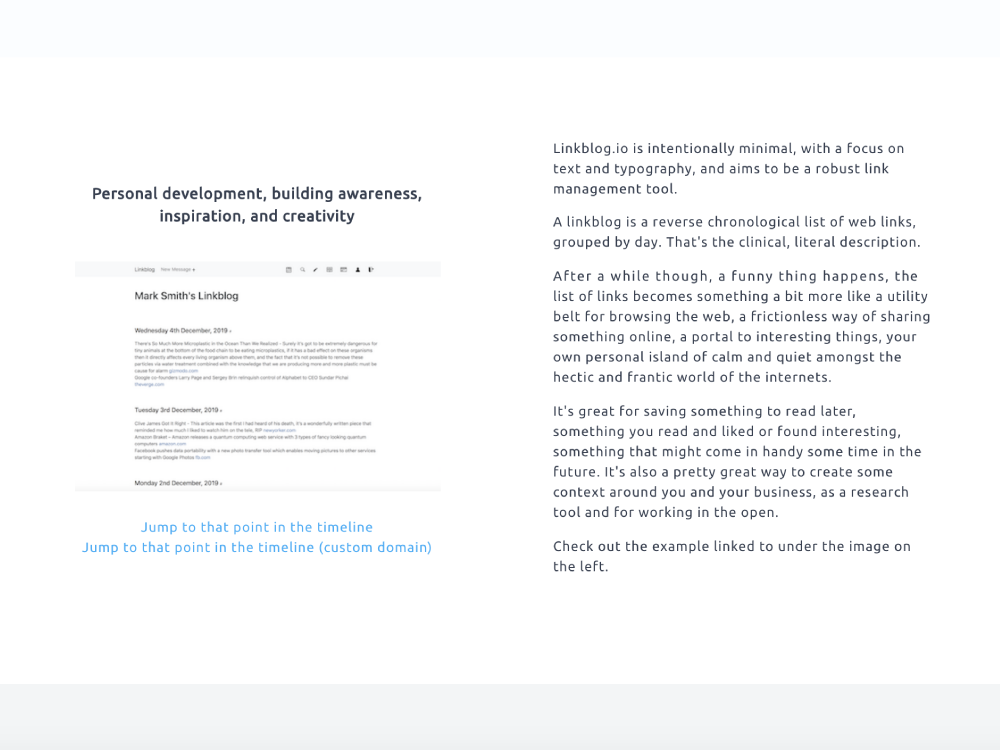
Landing Page - Description

Landing Page - Description

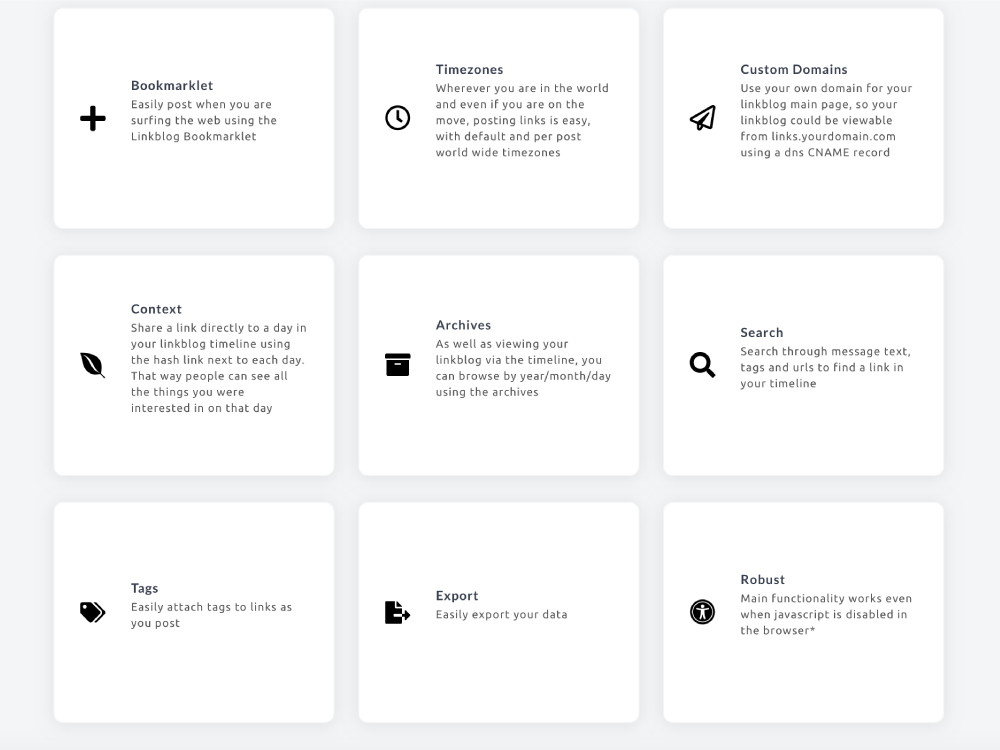
Landing Page - Features

Landing Page - Features

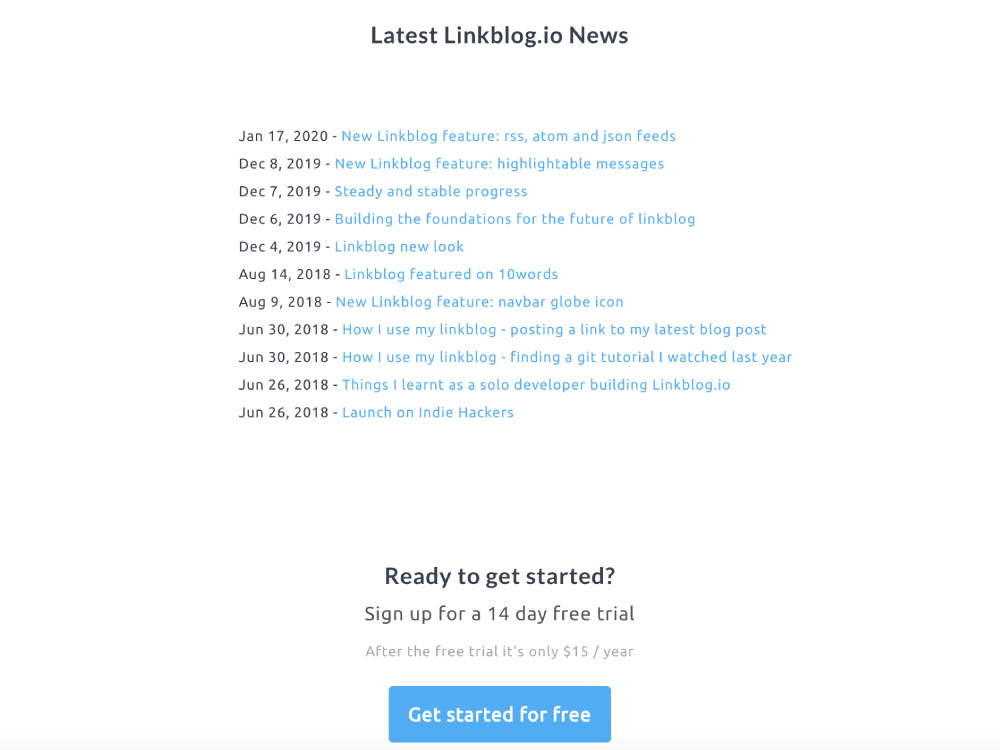
Landing Page Latest News

Landing Page Latest News

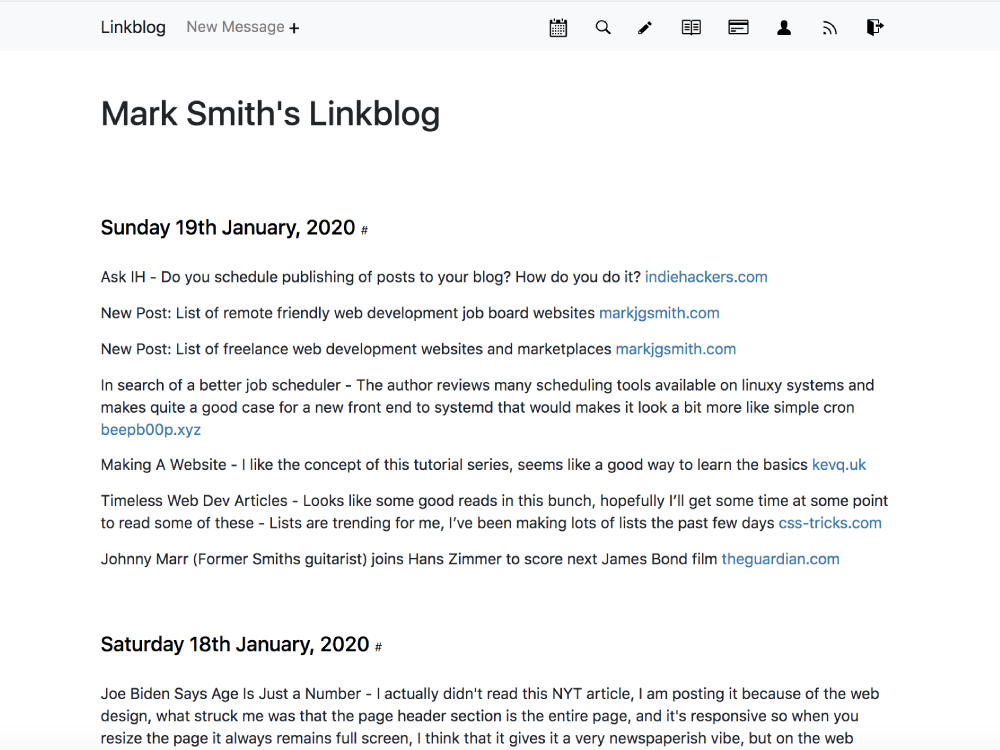
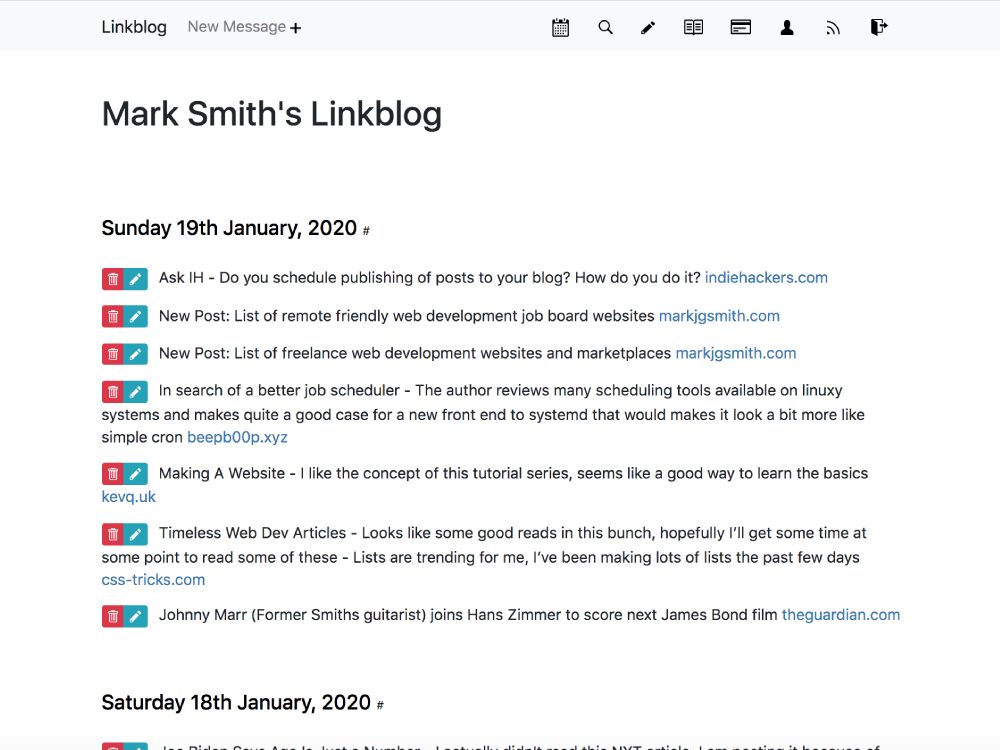
User Linkblog Page

User Linkblog Page

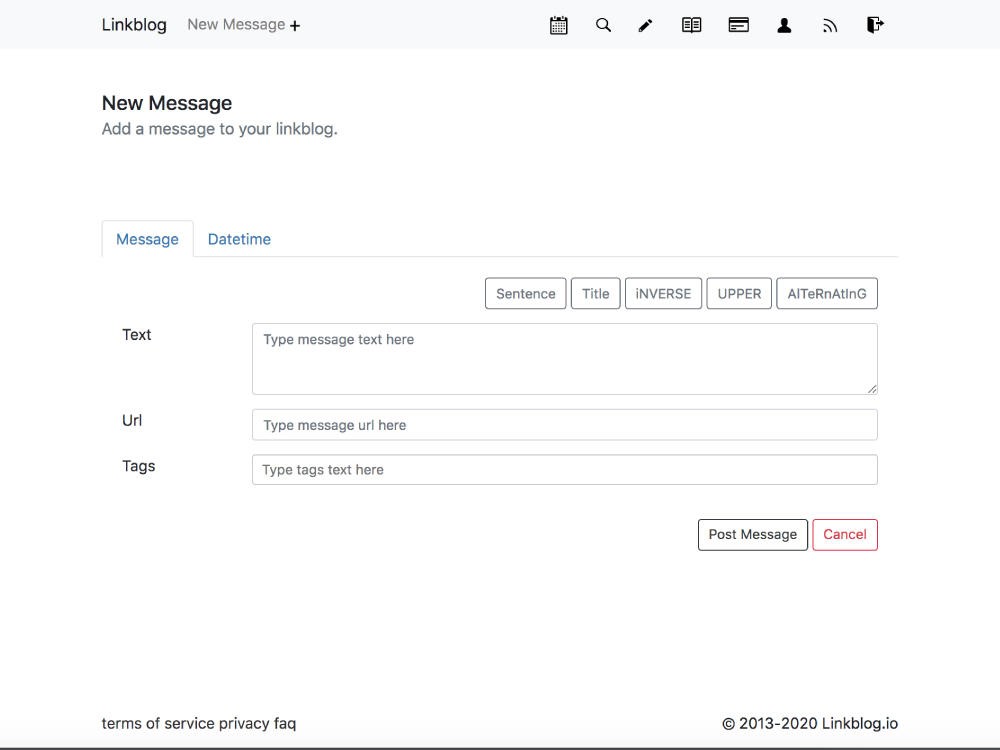
User Post Message Page

User Post Message Page

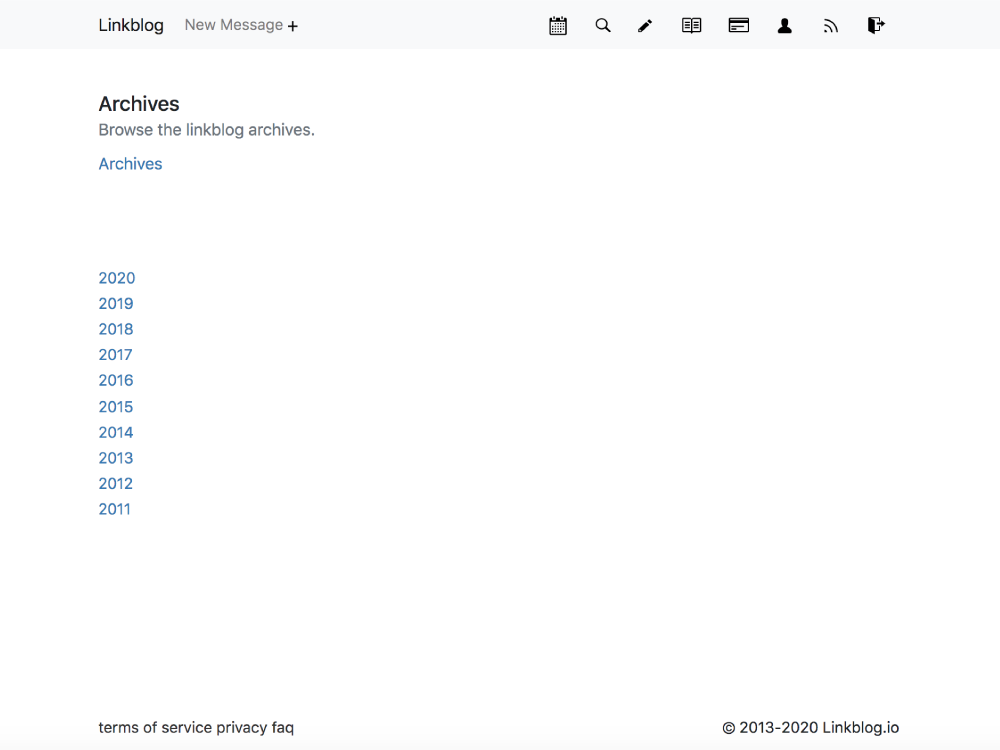
User Archives Page

User Archives Page

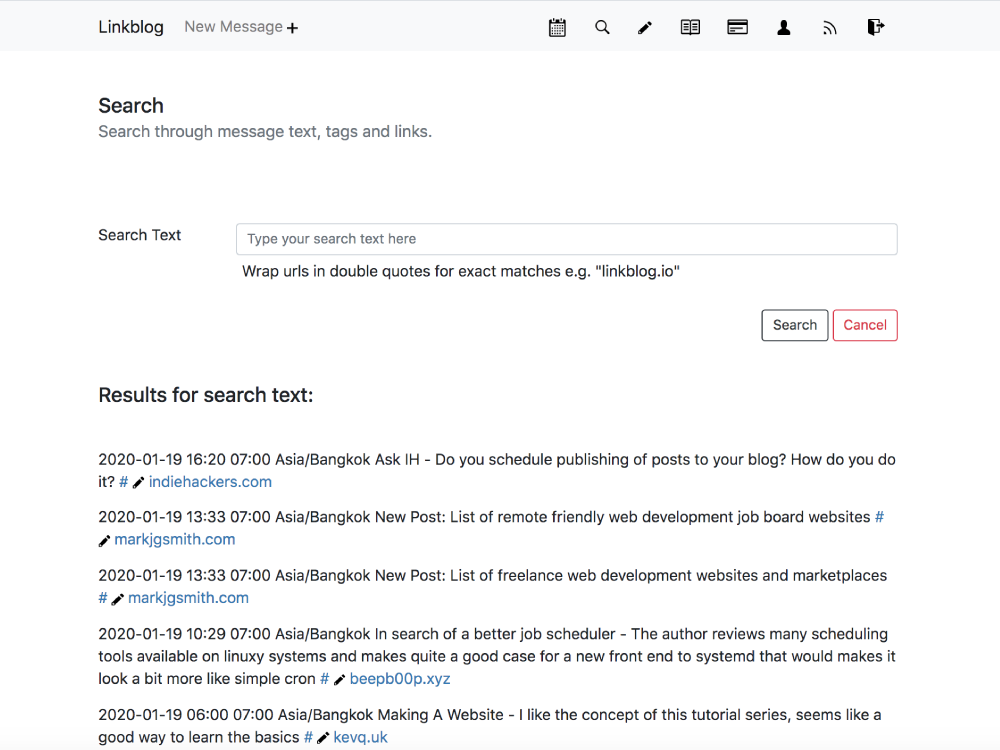
User Search Page

User Search Page

User Edit Mode Page

User Edit Mode Page

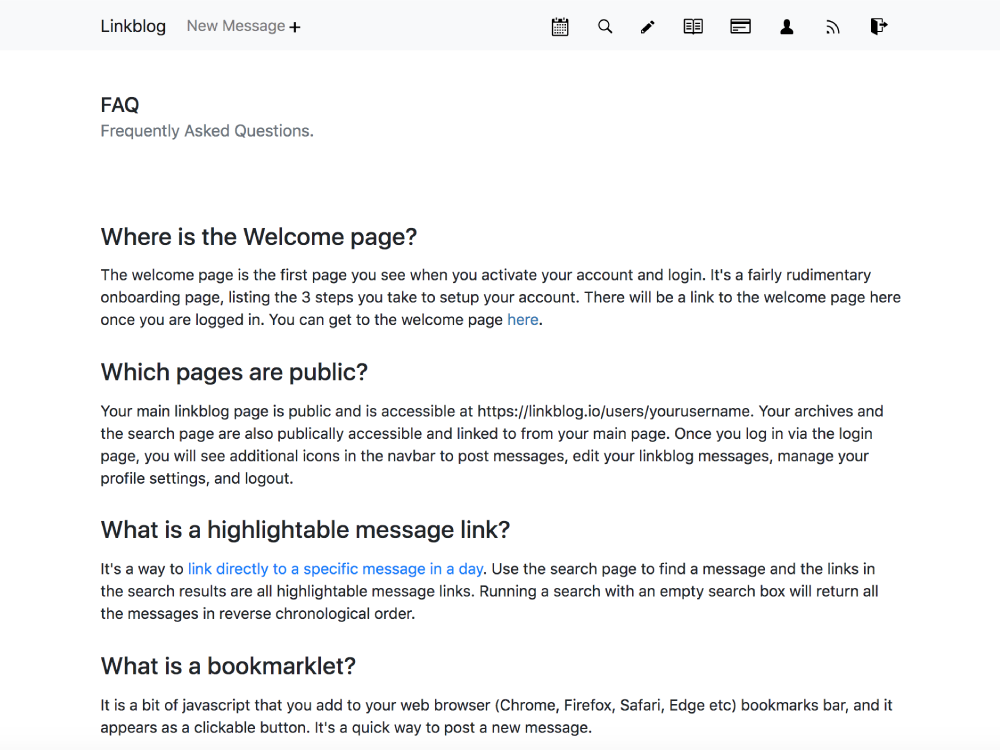
FAQ Page

FAQ Page

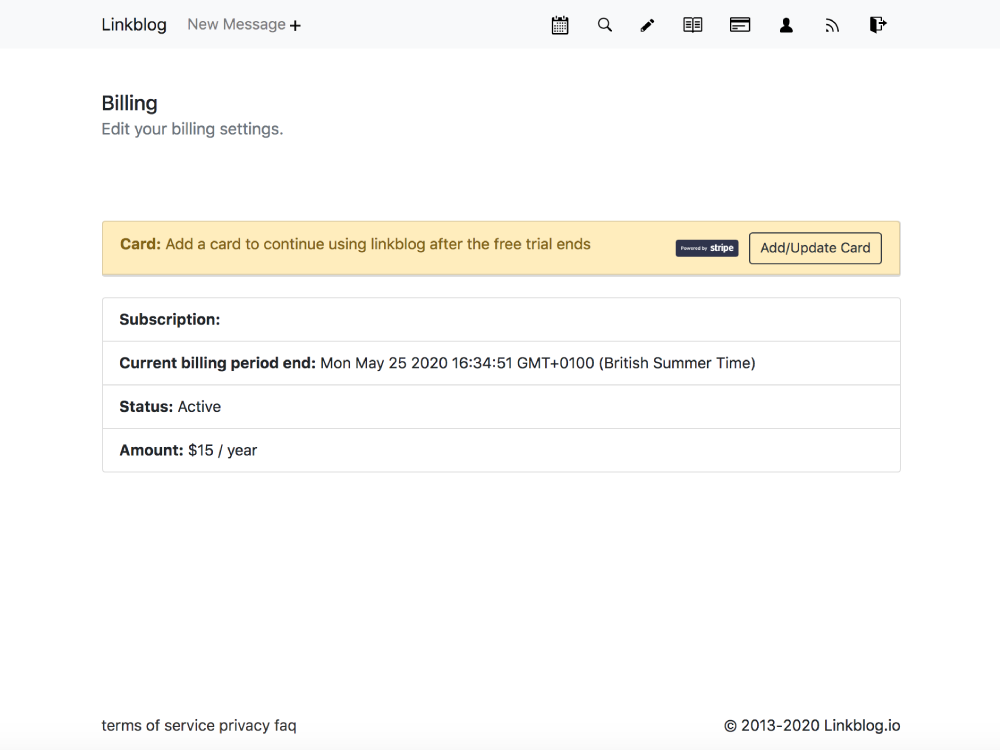
User Billing Page - Fresh Load

User Billing Page - Fresh Load

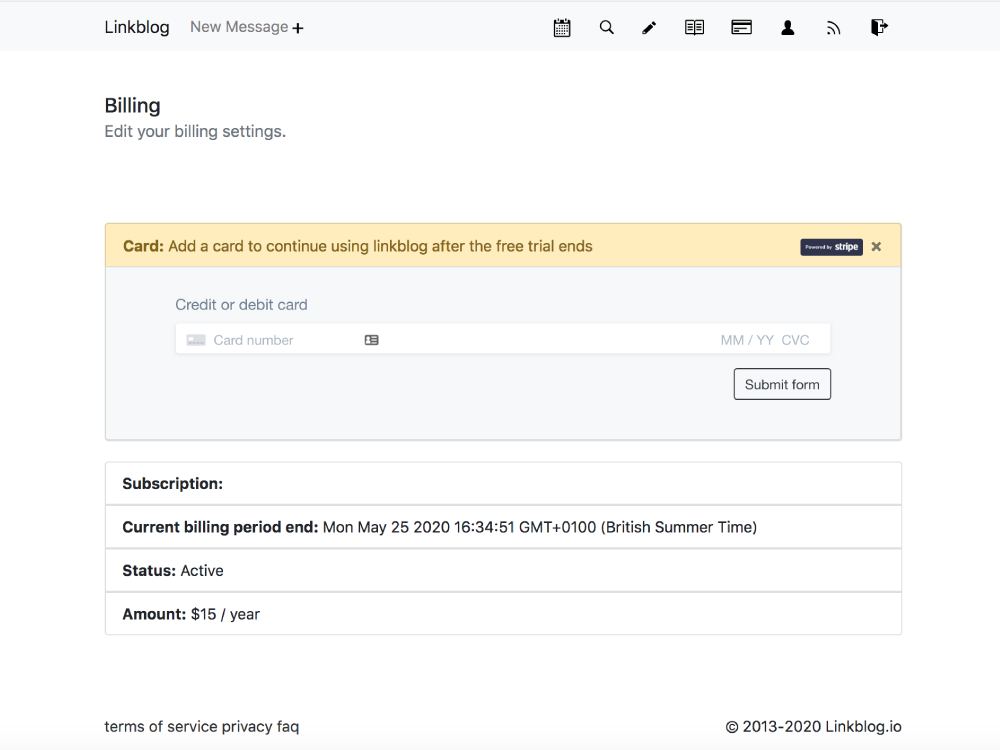
User Billing Page - Add or Update Card Extended

User Billing Page - Add or Update Card Extended

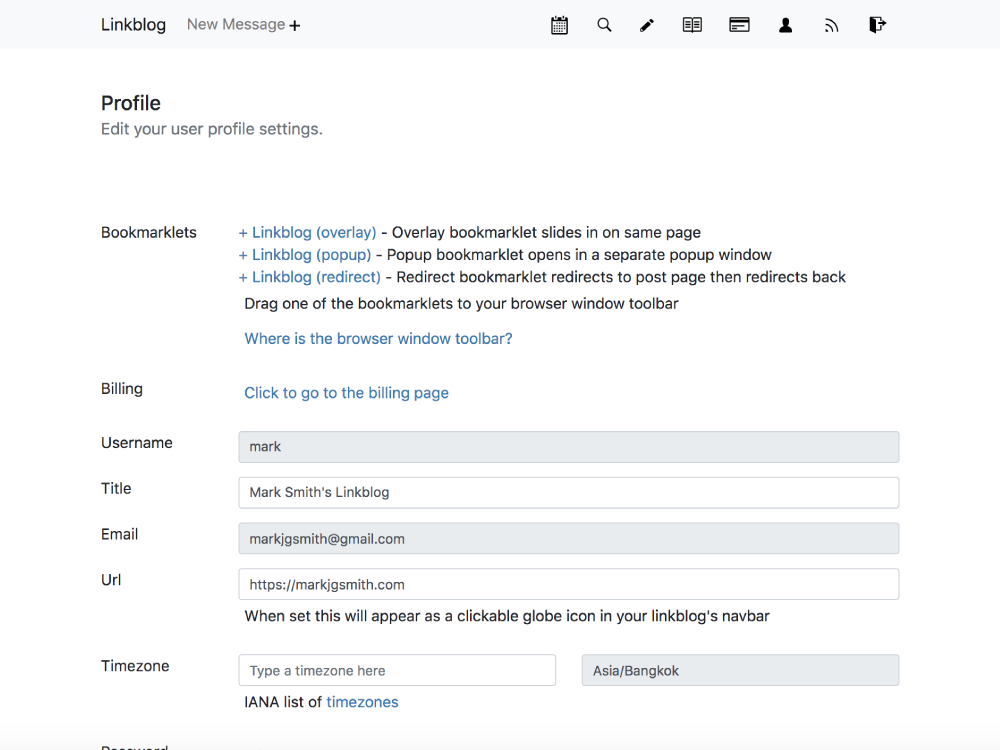
User Profile Page

User Profile Page

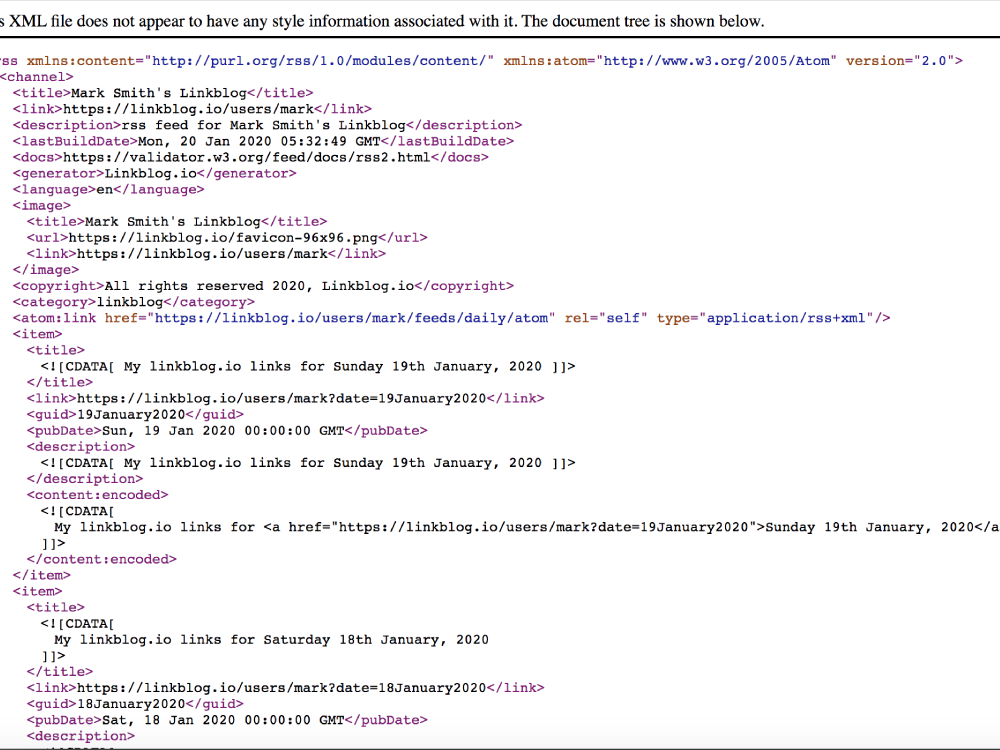
User RSS Feed

User RSS Feed

That was linkblog.io!

2020/11/25

Linkblog.io is dead, long live linkblogging

Linkblog.io the minimalist link curation tool, the Saas I spent 3 years building, is no longer live. All active users have been contacted and I’ve decommissioned the site.

Though the site was a tremendous success in terms of meeting my personal learning and development goals, building a robust SaaS from soup to nuts, ultimately I didn’t get the traction as far as user base that I had hoped for. Continuing to maintain the site didn’t make sense because it wasn’t generating any income.

I’m still linkblogging!

Update: the linkblog is now located on my main website domain.

I’ve been experimenting with Jamstack, Serverless and GitHub Actions and have built a prototype linkblog static site generator that I’m using every day. It builds 10 years of content in just a few seconds. It’s totally serverless. It’s pretty sweet.

I’ve been blown away with the possibilities that the jamstack opens up for creating custom content workflows.

I’ve also started a weekly newsletter where I share the best posts from the linkblog.

The general theme is javascript / tech / web development, but I also blend in some other topics from time to time.

I hope you like it, consider subscribing, it's completely free!

All the best.

2020/11/24

What it’s like working in tech in the visual effects industry

I’ve built and supported many workflows for visual effects productions on big blockbuster movies.

Movies such as

And hundreds more like those, working alongside digital artists and producers to build novel ways of collaborating. It’s been a few years now, I’ve since moved into enterprise software and now web development, but I thought it would be interesting to write a piece about my experiences in the visual effects (vfx) industry.

The landscape of the vfx industry is made up of a wide variety of companies, big and small, that work together to perform the post production on motion pictures. Ultimately they have the same goal - get the film finished on time for a theatrical release. There are often big budgets involved, and lots and lots of people doing a huge variety of jobs.

If you’re curious about how things are structured watch the credits of any film right until the very end. You can figure out a lot just from how the names are grouped together. Usually it’s the actors first then production staff, then all the post-production staff. But there’s a lot of nuance, with people being divided up into units based around certain pieces of the movie, say if it was filmed in different main locations.

It’s often surprising how many different visual effects companies are listed, each with their own teams of artists, engineers and producers. Of course animation based movies like the stuff that Pixar makes are nearly all post-production people, also huge amounts of post staff for all the superhero movies, but often films that don’t appear to have many visual effects shots, actually have loads of them.

The film credits of a movie is an art form in itself, with companies specialising in creating both the front and end rollers. If you stay right until the end of the credits in a movie theatre, a lot of the people remaining at the end, work in post. They want to see how things are structured at other companies, but they also just want to see their names or the names of their friends appear on the big screen. It’s quite a big thrill to see your name rise up across the screen when you’ve spent many months working on something.

I’ve worked in two different areas of the overall post-production movie pipeline.

First was as part of the engineering team in a reasonably classic vfx house, where we would work on a handful of movies in parallel, typically working on lots of individual shots, adding effects, then delivering these to companies upstream, who assemble all the vfx shots with the regular shots to create the full length movie. The work tended to happen right after production, or in some cases, at the same time as the movie is being filmed. There were often long days, and weekends, with some people working night shifts. These projects felt big, taking many months, with great wrap parties on completion. They also had a whole department that built old school physical visual effects, robotic monsters and weird creatures. Very cool but a bit scary when you are on the night shift.

There was a rather big render farm to render the effects onto the images. Hundreds of pizza box style nodes in racks, all managed by Pixar’s Renderman software. Organising the farm in an optimum way was complicated by the fact that 2D and 3D artists had very different types of jobs running. The 2D jobs were generally rather quick taking minutes, whereas some 3D jobs could take hours. You never wanted the 3D jobs clogging up the farm, but you also didn’t want the farm to be empty, and of course everyone’s job is very important. After a long time analysing the software and use cases we came up with a pretty effective configuration for the system.

There was a heavy focus towards Linux based systems, because it was easier to create multi-machine complex workflows using scripts written mostly in shell (bash/csh/tcsh) and Python. We would setup artists machines using shell environments in a neat way that enabled them to quickly switch between projects, with shot information pulled from a database, so they didn’t have to think about where the data was being stored, that was all automatic as long as they knew which shot they were working on, and everything was versioned. There were lots of cli system tools that for example did things with long sequences of image files.

For quite lot of the time I was there we had free toast, jams, Nutella, tea and coffee. That was nice. There was also a table football table and we held a yearly World Cup style competition, engineers vs 2D artists vs 3D artist. Good times.

The second vfx shop I worked for was further downstream, I was also part of the engineering team, receiving the finished shots from all the classic vfx houses. The work happened right at the start of post-production with film scanning and then right at the very end, after all the vfx shots had been completed by the classic vfx shops. We received all the shots and did various tasks such as colour correction, colour grading, beginning and end rollers, language versioning, subtitling, recording back to film, and creation of digital cinema distribution masters. The film scanning / recording and colour management tasks are often referred to as digital intermediate (DI), with the correction and grading being done by artists working with the directors and producers in specially constructed completely blacked out theatres.

We often had to meet impossible deadlines compounded by the fact that we were right at the end of the post-production process, impacted by any delays that happened at the other vfx houses. Missing our deadlines was just not an option, the penalties for which were in the order of millions of dollars per day, since the release date of the film would have to be moved.

This happened quite a lot:

Boss: How long will X take to do?

Engineers: 3 months

Boss: Ok we need you to do it in 3 weeks

Amazingly we always figured out a way to meet the impossible deadlines.

In this second place there was a much bigger volume of films passing through and typically the work on each film was on the order of weeks, the parties were mostly just for the producers interacting directly with the clients.

I mention the parties because I think it helps to illustrate that the overall vibe at different vfx shops can be very different depending on the type of work that is done. One isn’t necessarily better or worse, it’s just different. In broadcast media, where I’ve also had some experience, it’s yet another kind of different, more corporate in a way.

As far as tech goes there was a lot of cool hardware. Super specialist colour management boxes with unbelievably fast infiniband network connected storage, amazing 2D & 3D projectors, top of the line audio setups. The DI part of the facility could be hired out directly to clients, but our in-house artists also used it for the jobs we were working on.

Finished feature films took up terabytes (12TB for a full length 4k resolution film) of storage space, and the artists often worked on multiple versions of shots. Lots and lots of storage. Anytime new storage was added it got gobbled up pretty quickly. Problems with the storage had a big impact and cost a lot of money because no one could work. Stressful at times but generally there was a good camaraderie between everyone.

When I was there much of the movement of finished shots was done via USB drives, we had hundreds of them moving around town at any one time. I bet they still use drives quite a bit. Very manual but effective. You do what’s necessary to get the job done. I’ve been in situations where we had to send someone transatlantic on a plane just to hand carry some drives.

These days a lot of the finished shots are moved between companies digitally. There are high bandwidth networks between a lot of the post facilities. At the time, we were already experimenting with some very involved transatlantic workflows on some big films.where the director was in LA and the colourist was where we were in London. Making sure that the colour science equipment in both grading theatres was setup correctly was crucial. It was also quite fun because we got to work with the US team that was flown in for the duration of the project.

The film scanners which were about the size of two fridges side by side, were able to scan reels of film at around 8 frames per second, and they had a suite of Perl scripts used for automating the post processing of the all images created, so you could trigger custom scripts to process the scanned images on the render farm or other specialised hardware. Some of the reels of film would come in quite badly scratched, so we setup workflows to automatically digitally remove the scratches using specialised software. The only other way was to do it by hand frame by frame. The render farm there was smaller and ran on very fast blade servers. It was managed by a piece of software called Rush which is written in Perl.

There was always lots of things happening in parallel, so it was a little tricky not to step on each other’s toes. We were all trying to do this complex thing of creating digital effects all at the same time as constantly rebuilding and upgrading everything around us. If you went away on holiday it was quite usual for your desk to have moved by the time you got back. There were lots of emergencies, the business people were always trying to land new contracts with important clients visiting to see the latest version of their project, a sort of organised chaos. But we sure did make a lot of films.

The other thing that was happening at the time I was there, on top of the general day to day internal tech chaos, was that the whole wider industry was freaking out about the introduction of digital cinema. Every part of the ecosystem was being written and re-written all at the same time.

Was it cool? Yeah it was pretty cool.

I gained a solid foundation in using cool technologies, building infrastructure and workflows, figuring out new ways of collaborating, streamlining existing processes using both off-the-shelf / open source tools, and writing our own when necessary.

2020/11/23

2020/11/22

Why are people chopping off their legs with consent forms?

A recent HN thread was discussing Why Japanese web design is so different. It’s based around an article written in 2013 but both the article and the thread discussion are an interesting read.

I believe that consent forms pose one of the worst usability problems the internet has ever seen, with big companies that have alternative news reading experiences benefitting immensely from the situation. Their products are slick and unbelievably lovely to use in comparison, but fundamentally non-weblike, featuring only big media brands and with no ability to link to articles.

I wondered if the US users knew how bad it had become, I asked about the prevalence of consent forms in Japan closing with:

Probably US users don’t know how bad it is because the US sites only add them to requests originating in the EU.

A canadian user commented that he didn’t think it was only EU users that saw the consent forms because he is seeing a lot of them too.

I don't think that's the case, if only anecdotally, as I have seen a huge uptick in these consent modals in Canada.

Most of these sites needed or wanted them implemented on the cheap. Restricting it to EU customers would require extra work...

If this truely is happening, it makes no sense whatsoever.

Why would a website owner that makes money from people viewing their website risk that by blocking users from viewing their website even when they are not legally required to do so?

Are they living in a strange parallel universe where money doesn’t affect them? (serious question btw)

There’s must be some crucial bit of missing information here, because it really makes no sense.

2020/11/21

I've started a Newsletter!

Earlier in the week I met-up with James Clark from Nomadic Notes for coffee. He’s a long time travel blogger and digital nomad known for his excellent city travel guides. Really interesting guy with lots of insight into the travel blogging scene. It was great to meet him.

Yesterday his newsletter hit my inbox and I noticed that it’s powered by Substack. They’ve recently become very popular for their easy to use newsletter web application. I had coincidentally sent them a job application last week, turns out they use NodeJS. Anyhow I’ve been thinking about starting a newsletter for a while now, and this felt like a good time to do it!

So after deliberating a bit about which day to send it out, I settled on Saturday midday. Post-lunch BBQ time in Australia, tastey lunch time soup time in Asia, croissant and sausage sandwich time in Europe, in the Americas the midnight feast folks are going to love it, and for the others they’ll have something waiting for them to go with their breakfast burritos, cheerios and pancakes when they wake up.

It’s also a good way for me to delineate the start of my weekend. Something I’ve been missing for a while.

The newsletter is a roundup of the best links I’ve posted to my linkblog over the week. The general flavour is javascript / tech / web development but I also mix in other bits and pieces to get a good balance.

Subscribe for free in just a few clicks, the first issue is going out later today.

2020/11/20

My policy on job interviews

UPDATE (2020-12-20) - This blog post has been turned into a separate page, check out the job interviews policy page for the latest policy.

I wanted to describe my policy on job interviews so that I have something to refer to in the future.

Over the years I’ve interacted with many prospects discovered online and done quite a few of these and I have had a number of bad experiences, which ultimately end up wasting my time and money.

I’m just one person and I cannot support people for all the myriad of exotic reasons they want to spend their time doing interviews. It’s exhausting and never ending.

For new accounts I have 1 short call to meet and get a high level overview of the project.

My policy then is quite simple. My hands don’t touch the keyboard until I am getting paid. Also if you want consulting services, it’s possible, but again you need to pay me for that.

For clients that want extended discussions, I suggest the consultancy service package which is delivered via video chat. We can verbally discuss code in any way you would like.

You can send me short code samples to read in advance if you’d like so we have something concrete to discuss.

What I suggest to clients that want to work with me live is to start with a 1-3 day development service package where you can have the time to work directly with me in a live setting.

I am open to long term arrangements and would be happy to transition to a more permanent role, but I could also continue on as a freelancer, whichever suits your needs best.

Check out the service package descriptions and price list for more details.

2020/11/19

Mozilla MDN Docs are going full Jamstack

Earlier in the year MDN Web Docs turned 15 years old. They have been around since the early days of the web and made huge contributions to it’s evolution. More info on their Wikipedia page.

But how big are they?

Let’s look at a few stats:

  • 15 million views per month
  • 3,000 new articles in the last 3 years, 260,000 article edits
  • Grown in double-digit percentages, year over year, every year since 2015
  • Serving more than 15 million web developers on a monthly basis

They are big!

They’re also doing a phenomenal job of organising the web’s developer documentation, adding new site features to make learning easier, while building a vibrant community.

So it’s big news when they decide to re-architect their platform, especially when it happens just after they announced 250 layoffs (1/4 of it's workforce).

I posted on my linkblog a few weeks ago:

MDN Web Docs evolves! - the folks at Mozilla are going Jamstack + GitHub for their new MDN docs content contribution workflows, great writeup of the planned architecture, this is definitely an interesting space to keep an eye on, it will be really cool to see the collaboration workflows they build

Here is a link to the original article on hacks.mozilla.org.

Their writeup does a really good job of explaining the architecture changes they are making.

Essentially it boils down to this:

We are updating the platform to move the content from a MySQL database to being hosted in a GitHub repository (codename: Project Yari)

And the key takeway:

We are replacing the current MDN Wiki platform with a JAMStack approach, which publishes the content managed in a GitHub repo

In the piece they list many reasons including:

  • Making it much easier to add new features to the platform
  • Better contribution workflow, moving from a Wiki model to a pull request (PR) model
  • Better community building by adding discussions, feedback, review and approve steps
  • Simplified frontend architecture improving accessibility

And they go on to describe the planned architecture in a lot of detail with some illustrative diagrams. Jamstack website architectures are officially where new custom content workflows are being built.

I think this is perhaps a sign that there are some big shifts happening in web development, where the architectures that have powered the web for the past 10 years are being rewritten, enabling new ways of collaborating together to make digital things.

Which other large websites will make similar moves?

2020/11/18

2020/11/17

Live Music From Small Boat

Guitarist plays on a small river boat, while a group of people eat an evening meal.

2020/11/16

2020/11/15

2020/11/14

2020/11/13

Robust NodeJS Deployment Architecture

The aim of this post is to succinctly describe an effective and robust architecture for self hosting your NodeJS web applications. I’m going to stay relatively high level, describing the technologies, and components, by the end of it you will have a good idea of what such a system looks like. There is a focus on standard well tested pieces rather than the latest shiny cloud / containerisation offerings. It is well suited for running small to medium size applications.

Node.js web development technologies

Features of the architecture

  • Runs on standard VPS hosts
  • Possibility to scale
  • Secure
  • Easy to maintain
  • Fault tolerant
  • Low cost
  • Backed up and easy to restore
  • Easy machine provisioning
  • Easy to deploy code
  • Support multiple databases

3 main components

  • Load balancer
  • Web and API application servers
  • Datastore

During it’s life cycle, a client web request travels over the internet and eventually arrives at the load balancer where any SSL/TLS connections are terminated, then re-encrypted using self-signed certs and sent to an available application server. That application server performs the tasks it needs to do, persisting information on a shared datastore. Responses are sent directly from the application servers to the client.

The SSL/TLS termination happens on the load balancer because it makes managing the certificates much easier, with only a single place to renew, create, update and backup certificates.

Having a load balancer ensures that you can have several application servers running in parallel, which means you can scale by just adding more application servers, but it also means you can reboot servers without impacting site uptime.

As for the application servers, you can separate out web servers from API servers, but for ease of maintenance you can also just run both on the same machine on different ports, with a reverse proxy on the machine directing the requests to the right application. In this way you have one discrete unit which makes it much easier to add capacity. In the vaste majority of cases this setup is good enough, though could be optimised later.

Having a shared datastore is key to being able to run the application servers in parallel. This is a single machine that has a large storage volume mounted. It runs all the databases which write their data to the storage volume. The datastore can also run on a clustered set of machines for high availability, though this adds quite a lot of complexity, so initially it’s probably best to run one machine with good backups, so if anything goes wrong you can be restored and running with a minimum of downtime.

Technologies

  • Nginx - Load balancer and reverse proxy
  • Redis - Key/value very fast database often used for storing sessions and caching
  • Mongodb - NoSQL database
  • Postgres - SQL database
  • Letsencrypt certbot - for generating and maintaining certificates
  • Linux Ubuntu - Operating system for all 3 components
  • Pm2 - NodeJS process manager, runs the applications, handles logging and a variety of other runtime activities
  • RabbitMQ - Message queue software very important for fault tolerant backend systems
  • Mongodb-queue - Message queue implemented via a NodeJS library backed by MongoDB

Provisioning infrastructure

You can keep things quite simple in this regard, using a Bash script for each of the 3 main components. The script would need to do the following:

  • Install latest OS updates
  • Install necessary software
  • Configure users and groups
  • Write/update software configuration files
  • Start and stop various services

These are some of the important Linux items you would need to know about:

  • sshd - server for ssh connections
  • stunnel - creates secure connections, used on datastore for applications without built in SSL - e.g. Redis
  • ufw / iptables - firewalls
  • PKI and creating self-signed certificates
  • logrotate - manage rotating and backing up application log files
  • cron - schedule the running of maintenance scripts like backups
  • certbot - generate and renew certs
  • rsync - securely synchronize files between machines

It’s likely that your VPS hosting provider has an API and / or command line tools, making it possible to create a provisioning script that creates a VPS server, rsyncs the bash install script to the machine and runs it. So with a minimum of fuss you can provision fresh servers by running a script, so it’s completely repeatable.

It’s worth noting that there are modern tools that use containerisation like Kubernetes, which are very powerful but can get quite complex.

Deploying code

This is another place where a simple bash script can be very effective.

It would need to do the following:

  • Build your application to a deploy directory
  • Backup currently running app
  • Rsync the files to the application servers
  • Restart the application server

There is a lot of variety in this area. Many modern workflows that use CI/CD systems use git to clone your entire application
repository to the server, rather than rsyncing just the built files. Requirements vary a lot from project to project.

The bash script route is great for simplicity, but there are often more manual steps involved, especially if your application has complex configuration. In the early days of a project it’s often good enough.

Backups

Backups are super important. You need to have all the important files backed up and ideally scripts to restore the backups in the event that a component fails and needs to be restored.

Consider backing up:

  • Each deployed application version, along with configuration
  • Log files for databases, firewalls
  • Certificates
  • Contents of all databases
  • Configurations for every 3rd party application you are using

It’s a good idea to use storage from big cloud providers, they are low cost and have good scripting tools.

Security

It’s important to configure your machines securely, set firewalls (local and cloud) appropriately. Always use TLS/SSL for inter machine communication. Follow the security advice from the various pieces of software you install, for example creating different users for specific purposes e.g. application access vs access for backups. Only give the minimum of access rights necessary to perform a given task.

Staging and production environments

Once the application is running in production, you will benefit a lot from having a staging environment. It’s a replica of the production environment where you can try out new code without being worried to break the live system. Never deploy directly to production, always test it out in staging first.

Wrapping up

The infrastructure side of running applications can get quite complex, but there are a lot of advantages to knowing how to construct these setups yourself:

  • Keep costs at a minimum
  • Be in full control of the infrastructure
  • Be able to deploy anywhere

It’s also worth experimenting with integrating serverless technologies for aspects that are very high load, the low cost and high performance might be worth the portability trade-off, but be aware that a move might require rewriting parts of your application should you need to change providers.

This post is part the choosing your web development stack series.

2020/11/11

2020/11/10

2020/11/08

2020/11/07

2020/11/06

2020/11/05

2020/11/04

2020/11/03

2020/11/02

Self-hosted web based tool to get tasks done efficiently

A short while ago I was wanting to have a self-hosted tool to manage sets of tasks in an efficient way, so that tasks actually get done. I wanted it to be simple enough not to require much maintenance, with minimal chances of something breaking because of software upgrades.

I built a simple statically generated web based tool that is based on the agile software development methodology, which uses a “backlog” of “stories” that you complete during time periods called “sprints” (usually 2 weeks long).

Another key idea is that writing things down is a great way to focus on the task at hand and a way to drive your way as you forge your path.

It uses the Eleventy static site generator to render all the pages.

Here is the Github repo and there is a demo site with a bit of example data.

How does it work?

From the repo docs:

Use blog posts to describe your work, what you did, what you are about to do, then create "stories" that you add to the "backlog". Assign stories to "sprints", these last 1 week. Flesh out the stories, implement them, and then move these to "done" when you complete them.

At the end of the week do a retrospective of what you did, and plan (i.e. create and assign stories to the next sprint) for the upcomming week.

Whenever you are a bit unsure of your path, read the above 2 paragraphs. You probably need to write a blog post.

Benefits:

  • Self hosted - run it in the cloud or just locally on you machine
  • Everything is a file, versioned using git
  • Create items written in markdown
  • Easily backup your repo using one of the many git hosting providers
  • Never have a migration problem, it’s all just text files
  • Works offline

This is aimed at personal use rather than for large projects. I think for big projects, especially where you are collaborating with others, it’s probably better to use more comprehensive tools.

2020/11/01