I‘ve been using LLMs now in coding for many months, both for writing code and for writing commit messages. Overall it's tremendous, but there are things to remember.
The code it writes is much better at the function level, than the code I write by hand, because it has been trained on so much code that it can anticipate all the annoying syntax errors that typically can trip you up, but it also has a much better repertoire of the latests and greatest best practices, so it's always coming up with patterns that I would never have thought of. Now while it writes great code at a detailed level, I constantly find that it's not so great at putting those pieces together in a consistent way that makes sense.
Sure it's amazing at one-shoting things, but real code isn't all one-shotted. Real code, you built over time, you remove parts, you add parts, you refactor and re-structure. I've found that I am much better at that than the LLMs, who operate in a world where they have no real sense of the past of or the future, and to the extent that they do, as they run, their memory is constantly getting deleted and compacted.
The other way I use it in code is to write commit messages. In that area, I now use it almost exclusively. It is just so much better at summarizing the code changes I have made than I am. I can copy and paste a git diff of all the changes I have made in a particular feature branch, and it effortlessly returns a perfect commit message, describing the changes using the much better terms and descriptions than I would ever come up with. It does quite often miss things, or add in irrelevant stuff, so I do always have to read and review the messages carefully, but basically I hardly ever write complex commit messages now. There is just no point. The commit messages are much better than what I could have written, they communicate the information I want to get across to the reader much better. Do they sound like they are written by me? Probably not, but that is in my opinion not actually that important when it comes to code and commit messages.
So that's the background, how about with writing content for the blog? How am I using LLMs for that? For day to day posts, like for instance this one, I don't use them hardly at all. Maybe I lookup a few bits of information, but I write the post completely, it's just less tedious, but also I don't want the post to sound like it was written by an LLM.
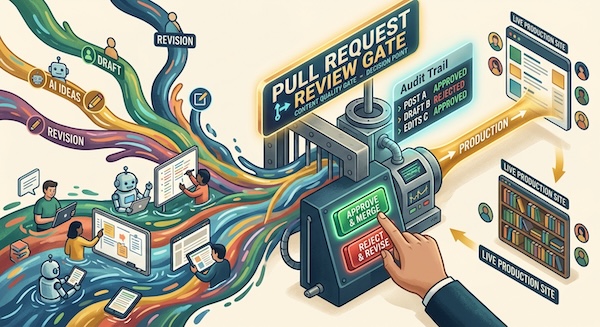
What about other types of posts, like the latests content creation blog posts I am currently writing? Well honestly I'm just trying to figure that out as I write them. I have been planning them using the LLMs, coming up with an outline of the topics I want to talk about, and generating images. We discuss the various topics, the overall themes and the narrative structure. I often get it to read previous posts I have written on the subject and it accurately and effortlessly summarizes them, extracting the core points, which is enormously helpful. It then generates a rough skeleton of the post, and summaries and images and example code snippets. At some point I decide we have covered all I want to cover and I write the post.
Do the posts sound like I wrote them? I am writing them, but there are times, like with the commit message summaries, when the list of stuff it has extracted or generated based on our conversation, where it's version is just better than what I could come up with, and I have to make a judgement call, and sometimes I just use the exact words it came up with because, it gets across the idea I want to communicate better. And that's what is most important in these technical tutorial style blog posts. I could spend an hour re-writing the entire thing so I came up with every single word and the grammar and punctuation, but you know what, imho that's just not the best use of my time, something which I have very very little to spare.
So that's the current situation. I'm guessing over time I will come up with better ways to work with the LLMs, and iron out the creases, but at the minute I'm sort of in this in between place where I'm not using them as freely in my blogging as I do in my coding, but I am using them. All that to say that if things sometimes sound a little off, well that's probably why.